3 months
free access
Full PrepDaF access for you.
PrepDaF for teachers
An offer built for real classrooms
3 months
Full PrepDaF access for you.
10 students
Connect and support up to ten students at no cost, for 3 months.
Human
We review every application individually and will get back to you.
How it works
01
Choose "teacher" when you sign up and answer two quick questions — that's your application.
02
We check it by hand and email you either way, usually within a few days.
03
Once approved, send each student a one-time invite link from your dashboard.
What you'll see
Every part a connected student completes shows up automatically — the essay text and speaking transcripts included — along with the exam target and activity they've chosen to share.
Elif K.
Connected · 09/09/2026
Exam & target
B1 → B2 telc
Exam on 20 Mar 2026
Scores per module
Recommended by you
telc B1 · Sprachbausteine — Practice 3
Completed
92%telc B1 · Lesen — Practice 2
Inside the dashboard
Just one link to get started:
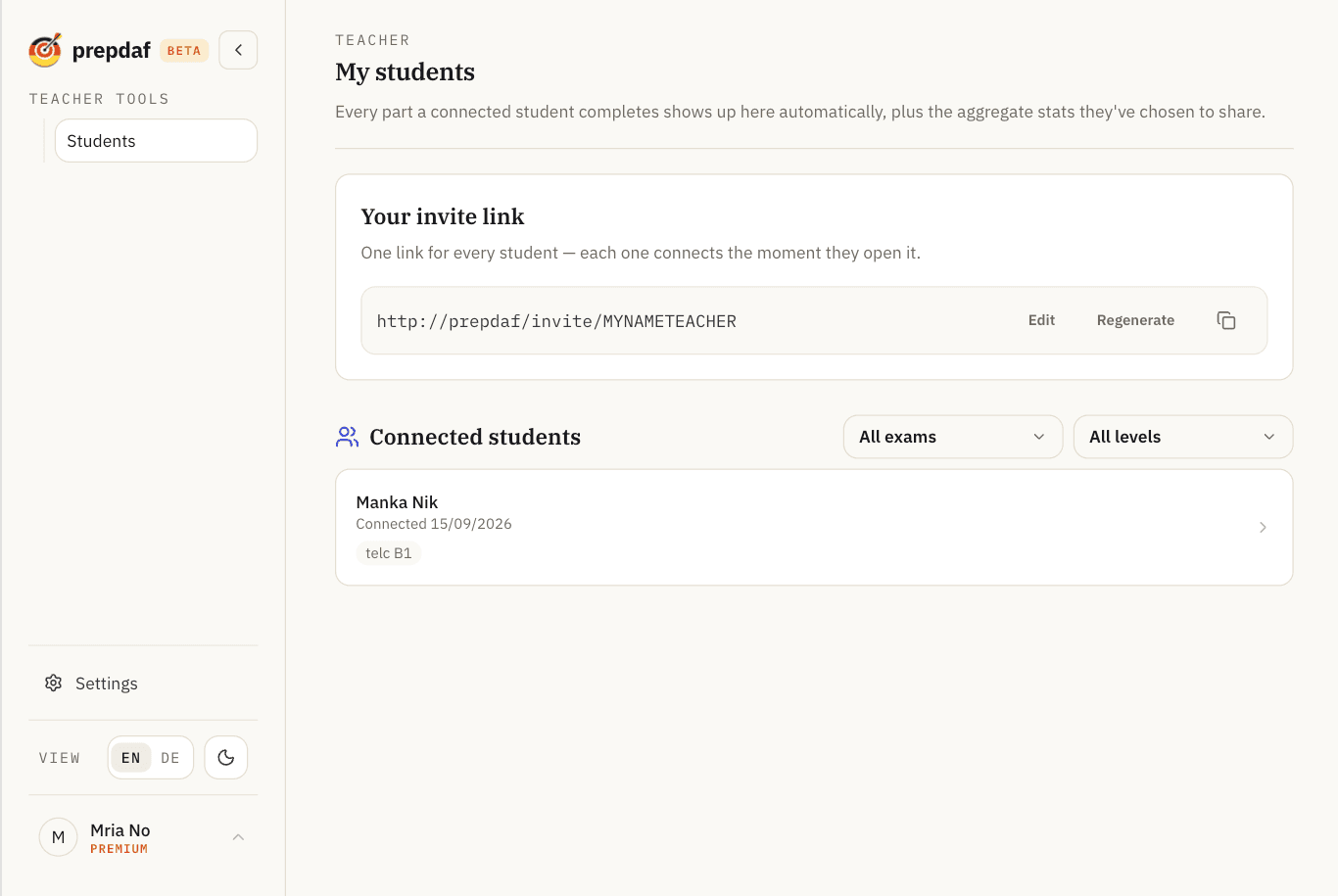
Everything in one place, without asking them for an update:
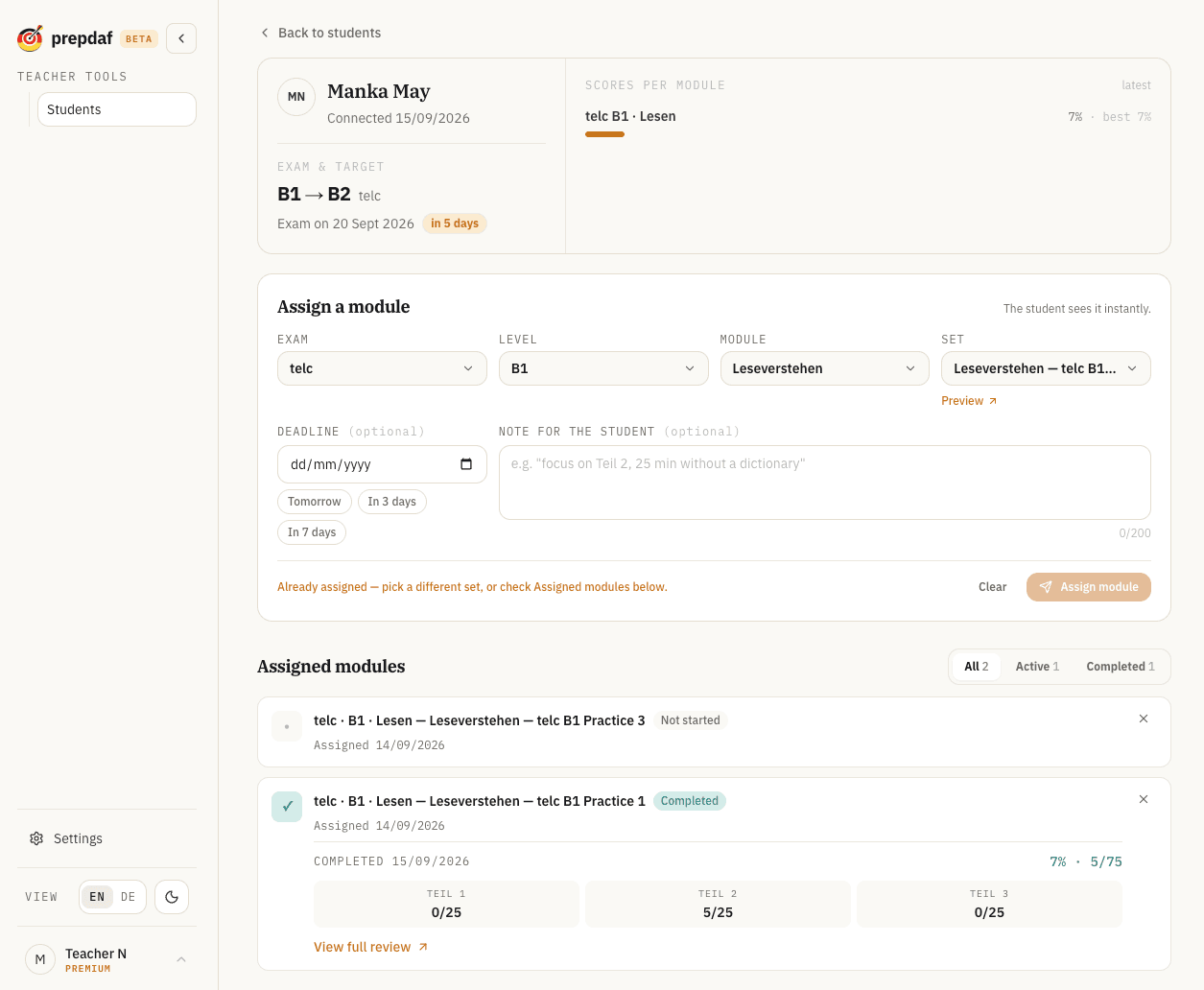
The moment a student finishes a module:
Assign a module and it appears right where the student practices:
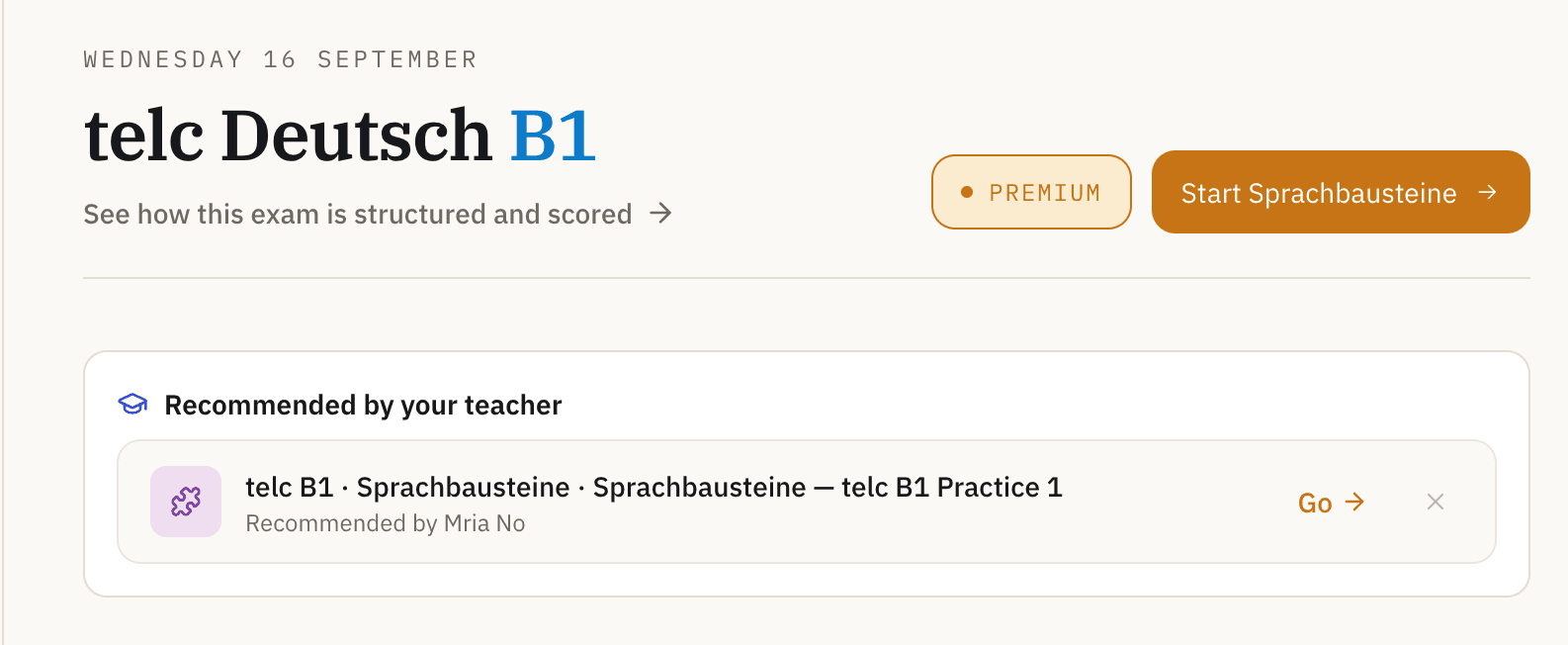
Only what they choose to share: exam target, weekly activity, and scores per module. Every completed part is included automatically once they connect.
Yes, at any time, from either side. Disconnecting removes access to their progress immediately.
The free tier covers ten connected students. Reach out if your classroom is larger.
Apply to teach on PrepDaF
Apply to teach on PrepDaF